User guide
Enter a price by taking a photo of the price tag
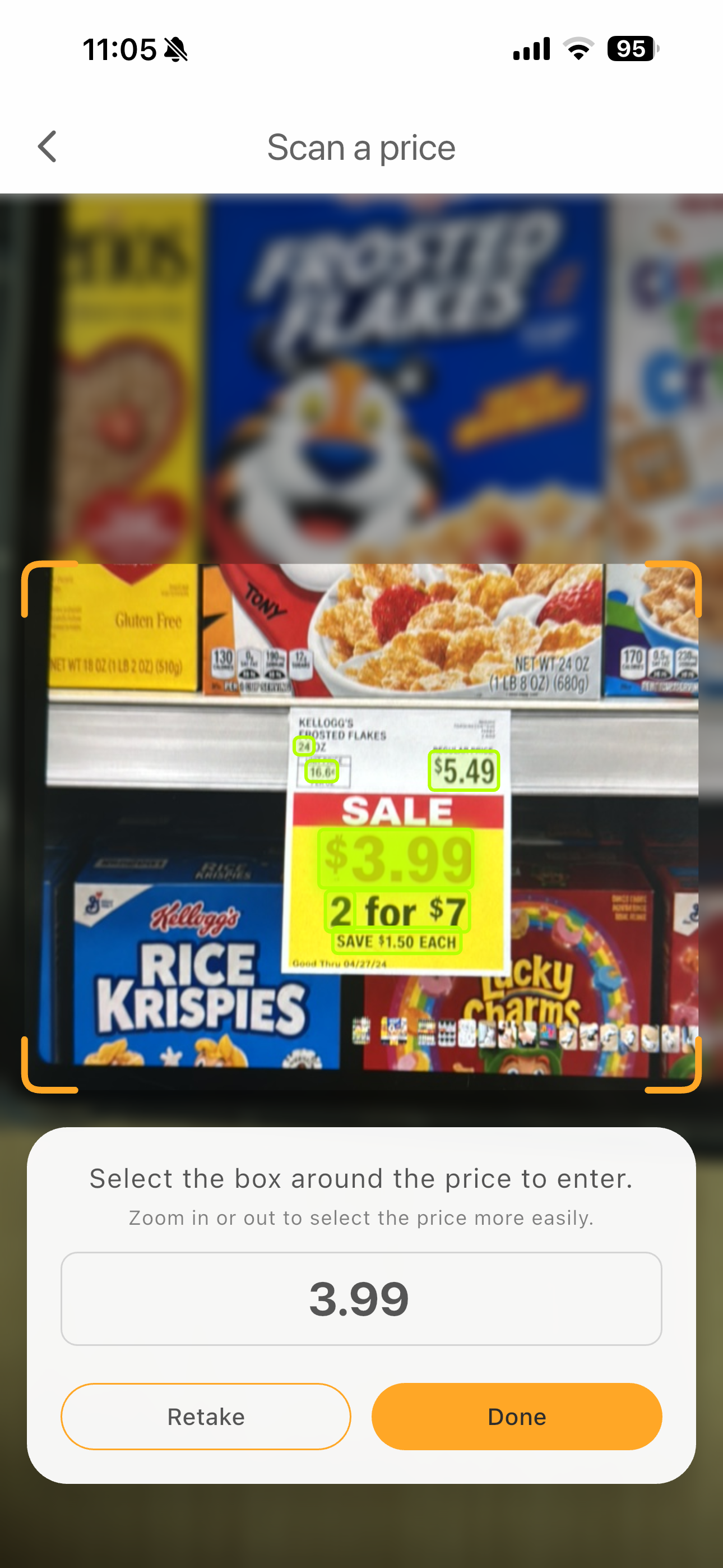
Use the camera when a shelf label is easier to photograph than type. Smart Shopping finds the prices in the image and lets you choose the one to use.
How to use it
- 1Tap the camera button next to the price field.
- 2Place the price tag inside the guide and take a photo.
- 3Move or zoom the image, then select the box around the price you want.
- 4Check the selected number and finish entering the price.
Helpful tips
- Use a bright, steady shot with the price facing the camera.
- If light reflects off a coated price tag, adjust the camera angle to keep glare away from the numbers.
- Retake the photo or edit the number manually if the result is unclear.